Survey123, SurveyMonkey or Google Forms: when a planning project needs more than a survey
A tool-by-tool comparison, including what to look for in a Survey123 alternative, for planning, design and engineering firms running public engagement.

Pascal Fuhr, CEO of Senf
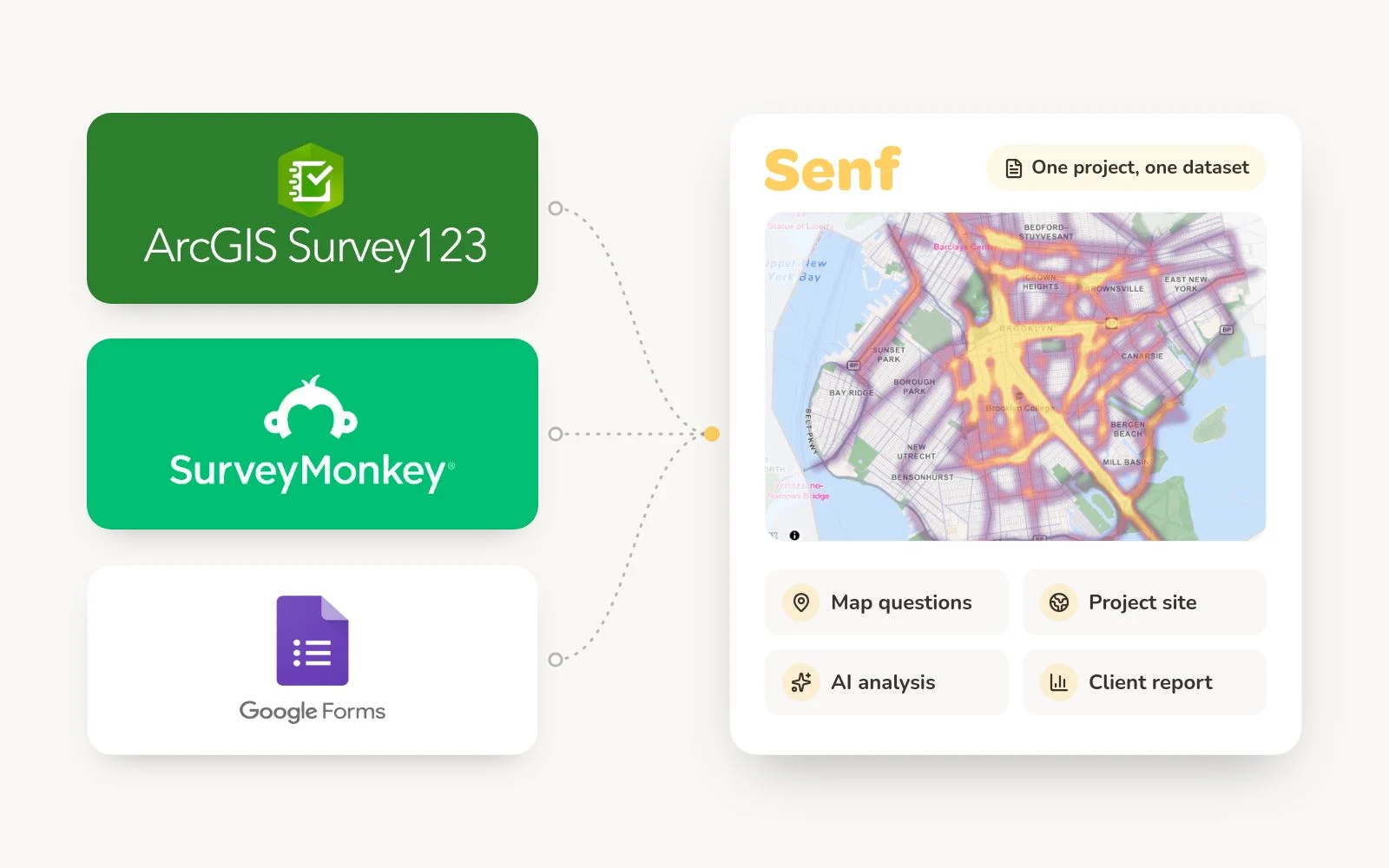
Survey123, SurveyMonkey and Google Forms all collect survey answers, and for plenty of planning work that is all the job needs. Only Survey123 takes a map answer. There, a resident can place a point, draw a route or outline an area on a real map. SurveyMonkey's Click Map records a click on an uploaded image, and Google Forms has no map question at all. An engagement platform earns its cost once a project also needs a project site, analysis of hundreds of open-text comments and a result the client can read, all from one dataset.
At the APBP conference in Pittsburgh this August, the most common setup at transportation and active-transportation firms was Survey123 for the survey plus a Wix site, with its own domain, for everything else. Firms outside the Esri world run the same pattern with SurveyMonkey or Google Forms in the survey slot. Few of them called it an engagement stack, since no single tool in it was built for engagement.
How Survey123, SurveyMonkey and Google Forms compare for public engagement
The table compares documented features as of October 2026. Senf is in the last column, and it's our product; read that column accordingly. Vendor sources are listed at the end of this article.
| Decision area | Survey123 | SurveyMonkey | Google Forms | Senf |
|---|---|---|---|---|
| Map questions for the public | Point, line and area; public respondents need no account; answers land in an ArcGIS feature layer | No geographic map; Click Map records one click on an uploaded image | None built in | Point, line and area, on a basemap or your own site plan fitted to scale; answers sync into ArcGIS Online as they arrive |
| Who can build a survey | ArcGIS users with a Creator-level user type and publishing rights | Anyone with an account | Anyone with a Google account | Anyone on the team; unlimited users on every paid license |
| Project website | None; built in ArcGIS Hub or elsewhere | None | None | Multi-page project site on its own address, including the client's domain |
| Open-text analysis | Per-response sentiment and entities (beta), for signed-in respondents | AI themes on paid plans, English surveys only | Gemini summaries on paid Google plans (Business Standard and up) | AI categories your team edits, plus columns filled from your own instruction |
| One survey, several languages | Yes; the author adds translations by spreadsheet or AI translation | Premier plans; translations uploaded as a file | No built-in option in Google's Forms documentation | Automatic translation; answers translated back for your team |
| Price to start | Part of an ArcGIS organization subscription | Free Basic plan; Advantage $39/month and Premier $139/month, billed annually | Free; Gemini features need a paid plan | Free to build and use in a proposal; from $2,500 per project to go live |
Map questions for the public
- Survey123
- Point, line and area; public respondents need no account; answers land in an ArcGIS feature layer
- SurveyMonkey
- No geographic map; Click Map records one click on an uploaded image
- Google Forms
- None built in
- Senf
- Point, line and area, on a basemap or your own site plan fitted to scale; answers sync into ArcGIS Online as they arrive
Who can build a survey
- Survey123
- ArcGIS users with a Creator-level user type and publishing rights
- SurveyMonkey
- Anyone with an account
- Google Forms
- Anyone with a Google account
- Senf
- Anyone on the team; unlimited users on every paid license
Project website
- Survey123
- None; built in ArcGIS Hub or elsewhere
- SurveyMonkey
- None
- Google Forms
- None
- Senf
- Multi-page project site on its own address, including the client's domain
Open-text analysis
- Survey123
- Per-response sentiment and entities (beta), for signed-in respondents
- SurveyMonkey
- AI themes on paid plans, English surveys only
- Google Forms
- Gemini summaries on paid Google plans (Business Standard and up)
- Senf
- AI categories your team edits, plus columns filled from your own instruction
One survey, several languages
- Survey123
- Yes; the author adds translations by spreadsheet or AI translation
- SurveyMonkey
- Premier plans; translations uploaded as a file
- Google Forms
- No built-in option in Google's Forms documentation
- Senf
- Automatic translation; answers translated back for your team
Price to start
- Survey123
- Part of an ArcGIS organization subscription
- SurveyMonkey
- Free Basic plan; Advantage $39/month and Premier $139/month, billed annually
- Google Forms
- Free; Gemini features need a paid plan
- Senf
- Free to build and use in a proposal; from $2,500 per project to go live
When Survey123 is the right call
Survey123 is the strongest of the three for spatial input, and your GIS staff probably know it already. Residents can answer a public survey without an ArcGIS account, map answers land directly in a feature layer, and for forms your own field staff fill in, it remains the natural choice.
The costs show up around the survey. Building one takes an ArcGIS user with a Creator-level user type and publishing rights; if that's one GIS analyst at your firm, every public survey waits in their queue. Esri's own documentation says the web designer's question types and smart features are limited, and points to Survey123 Connect or the new Survey123 Studio for the rest, both of which work in XLSForm spreadsheets. Survey123 also doesn't make the project page. At the firms we met in Pittsburgh, that was most often a Wix site, with a domain bought for that one project.
Looking for a Survey123 alternative?
Most firms looking for a Survey123 alternative want to keep ArcGIS and change what sits around the survey: the project site, the authoring queue and the hours after it closes. Senf is an alternative to that public-engagement workflow, not to ArcGIS itself. Residents add points, routes and areas, and the answers sync live into ArcGIS Online as they arrive.
Keep Survey123 where it is the stronger tool. For offline field collection in its mobile app, followed by a sync, Survey123 is built for the job and Senf is not; Senf's offline option is a printed survey for open houses. On license cost, Survey123 may add little if your firm already has the ArcGIS access, though ArcGIS Online credits can apply to storage, geocoding and printing reports. Senf lists $2,500 per project, or $9,990 a year for unlimited projects, and building a project for a proposal is free. Current plans are on the pricing page.
When SurveyMonkey or Google Forms is enough
Keep them for what they do well. A client satisfaction survey, a staff poll or a short English-only questionnaire with no location in it runs fine in either, and Google Forms costs nothing. SurveyMonkey's paid plans now group English open-text answers into AI themes, so on a single-language survey without a map, much of the coding work is handled. For engagement platforms beyond these three, see SurveyMonkey alternatives for online engagement.
Public engagement on a planning project asks more of the tool, and the first gap is location: neither has a question that records a place. SurveyMonkey's Click Map captures one click on an image you upload, while Google Forms add-ons can capture the respondent's device location. That tells you where they stood when they pressed submit; the corner they were writing about goes unrecorded.
Translation is the next gap on public projects. SurveyMonkey offers multilingual surveys on its Premier plans, with each translation uploaded as a file, while Google's Forms documentation describes no built-in way to offer one form in several languages. Length shows up too. Brian Reetz, Principal at Design Collective, on a 35-question park survey:
If we would have tried to do this survey with SurveyMonkey, 35 questions, I don’t know that we would have gotten this level of participation. I think people would have been bored ten questions in. With Senf the interactive mapping made this survey dynamic, interactive and memorable.
Brian Reetz
Principal at Design Collective
Outgrowing SurveyMonkey on public projects? Here are five SurveyMonkey alternatives for community engagement, compared.
What changes when the question is "where?"
Transportation and landscape projects ask spatial questions by default. Where should the bike lane go? Which crossing feels unsafe after dark, which way do people walk to the bus stop, where would shade help most? A flat survey turns each of those into a dropdown of street names, or into an open-text box that someone geocodes by hand later.
A map question records the answer as geometry. In Senf a resident drops a pin, draws the route they ride or outlines the block that floods, and the answer arrives with its coordinates. For design work, residents comment on the actual site plan, placed to scale on the map where it will be built. Map answers sync into ArcGIS Online as they arrive, so your GIS layer stays current while the engagement is still running, and they export as GeoJSON or Shapefile for ArcGIS Pro and QGIS. The map-based engagement page shows each question type.
Carroll Creek Park in Frederick, Maryland shows what that looks like on a real project. Design Collective's landscape practice ran the park refresh survey in Senf between February and April 2026, with map pins, drawn routes, image-preference questions and conditional logic across 35 questions.
- residents started the survey
- 2,201
- finished all 35 questions
- 1,436
- completion rate
- 65.2%
- average time to complete
- 10m 32s
About 140 of those respondents were 75 or older. Reetz on reading the results:
Just by moving across the result maps, you could immediately see where most comments clustered. Then you could zoom into those areas and read what people were saying—directly in the dashboard.
Brian Reetz
Principal at Design Collective
The case study on how Design Collective ran Carroll Creek covers how the firm used the survey in its proposal and what the data changed in the design.
What the survey costs after it closes
License fees are the small number in this comparison. The larger one is the hours between the survey closing and the client seeing results. That time goes to exporting to Excel, coding open-text comments by hand or pasting them into ChatGPT, merging the map answers back in and building charts one at a time for the deck.
In the past we would bake in 80 hours of post-production to go through the survey information and make heads or tails of it. Now it's just done.
Brian Reetz
Principal at Design Collective
The hours drop because the analysis happens in the same table as the responses. Senf suggests categories for every open-text answer, and your team edits them. If someone already pastes a prompt into ChatGPT to sort comments, that prompt becomes the instruction on a column, filled for every response and kept beside the map answers, demographics and paper forms. Charts export as PNG or SVG in your client's colors, ready for the one or two slides that usually go into the council presentation. The guide to turning open-text comments into client-ready reports walks through the workflow.
A public process also has to stand up to questions. Senf allows one response per device by default and flags suspicious ones, such as surveys finished at bot speed. Your team decides what to exclude, and every excluded response stays on record. When a planning commissioner asks whether the survey was gamed, you can show them exactly which responses were set aside.
Paper, open houses and the project site
Most engagement still includes an open house, and the paper forms from it usually get typed up afterwards. Senf prints the survey for the open house and reads the completed forms back in from scans, tagged by source and in the same dataset as the online answers. A person checks anything the scan can't read with confidence. The paper survey guide shows the round trip.
The project site lives in the same place as the survey. Each project gets a multi-page site with its timeline, events, documents and FAQs. It runs on its own address, a participate.app domain or one your client already owns, so the per-project Wix build and the domain purchase drop out. Campaign links and QR codes for each channel then show which flyer, newsletter or post brought in people who took part, beyond counting page visits.
How to decide for your next project
Six questions settle it. If residents need to answer with a location and two more answers are yes, the flat survey tool will cost the project more in hours than an engagement platform costs in license fees.
Do residents need to answer with a location?
If not, SurveyMonkey or Google Forms will run the survey.
Would your one Survey123 author have to build it?
Then count the queue.
Does the project need its own website?
Then count the Wix build and the domain as well.
Will open-text comments run into the hundreds, or arrive in more than one language?
That's where post-production hours pile up.
Will paper come back from an open house?
Somebody types it up, unless the scans land in the same dataset.
Does the client want two slides and a few report pages at the end, not a spreadsheet?
Somebody builds those charts, one at a time or from the same dataset.
Start with the location question.
It decides whether a flat survey tool can run the project at all.
Frequently asked questions
You can, if a Creator-level user builds every survey and the project site, paper forms and open-text coding happen somewhere else. Senf covers those parts in one place and syncs map answers into ArcGIS Online as they arrive, so the spatial data still ends up in your GIS.
Keep your survey tools for what they do well.
See it on your own project
Send the RFP you're pursuing and we'll build the engagement project from it, map questions and project site included, so your team judges the upgrade on its own project.
Free to build and use in a proposal.
Pascal Fuhr, CEO
Senf is the community engagement platform built for private-sector planning, design, and engineering consultancies.
Sources
Vendor pages checked on October 13, 2026.